Email Sending Infrastructure for High-Volume Outbound Teams
Authenticate your domains and warmup your mailboxes before optimizing copy.
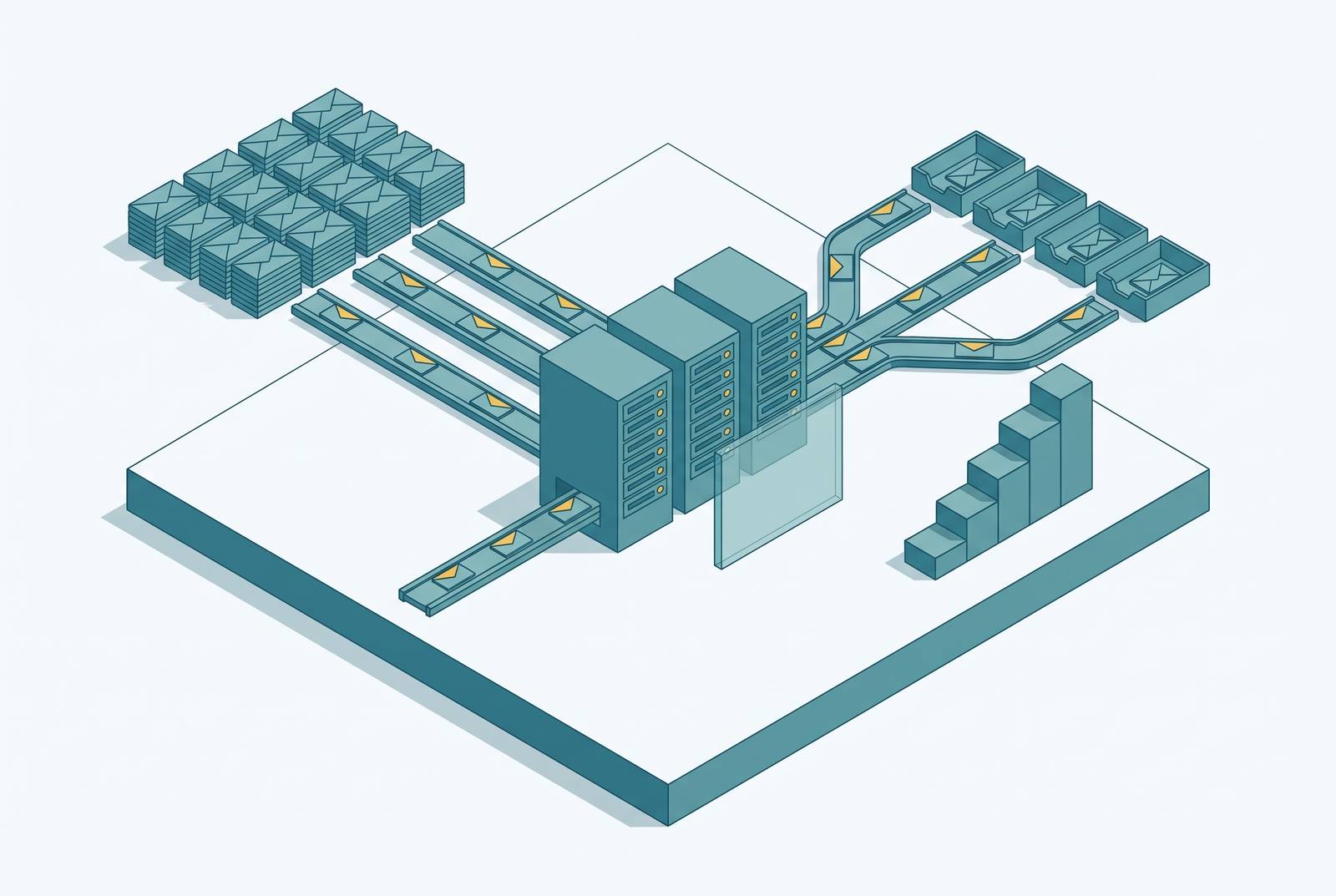
High-volume outbound email needs infrastructure that can support each send. Copy and targeting cannot compensate for a stack that receiving providers refuse to trust. Building that stack means understanding domains, mailboxes, authentication, warmup, and list hygiene as an interacting system before choosing a tool or service.
Why email sending infrastructure is the root cause of outbound failure, not copy or targeting
Teams often optimize the wrong part of outbound. They spend weeks testing subject lines while sending from a single mailbox on the primary business domain, without authentication, to an unverified list. A better subject line cannot authorize a sending server, fix domain reputation, or stop a bad address from bouncing.
The distinction is between improving a message and making delivery possible. Copy is the package, while infrastructure supplies the trucks, license plates, driver record, and route history that receiving providers inspect before accepting it. Any one failed inspection can prevent delivery, regardless of the quality of the package. The stack therefore needs to be understood as five independently vulnerable layers, which are sending domains, mailboxes, authentication records, warmup history, and list hygiene.
How mandatory authentication requirements reshaped the deliverability baseline
Google and Yahoo announced bulk sender requirements in October 2023, with enforcement beginning in February 2024. Microsoft began its own enforcement in 2025. Authentication became an entry requirement. For bulk senders, the required foundation includes SPF, DKIM, and DMARC.
Those records must also identify the right domain. DMARC alignment means the organizational domain in the SPF envelope sender, shown in the Return-Path, or the DKIM signature must match the organizational domain in the visible From header. Passing SPF and DKIM checks on their own does not give mail alignment if neither matches that visible identity.
Gmail has rejected non-compliant bulk mail at the SMTP level since late 2025, using temporary 4xx deferrals and permanent 5xx rejections. A rejected message never reaches a mailbox. There is no spam-folder fallback for that rejection, and missing DMARC can result in outright rejection at both Google and Microsoft.
Why the primary domain must never touch cold outbound
The first architectural response is to separate outbound from the primary business domain. Domain reputation is shared by the mail using that domain, so a complaint spike or blacklisting event can affect more than prospecting. The blast radius reaches across the company. Invoices, password resets, support replies, and executive correspondence can all suffer from damage caused by cold outreach.
Recovery is not a quick administrative fix. Domain reputation can take six months or longer to recover, and some organizations never fully recover. Secondary sending domains take on the outbound reputation signals, which keeps the primary domain safe from them. These are separate lookalike domains used for outreach.
A directional configuration for a 2026 outbound program is two to five secondary domains, each with its own SPF, DKIM, and enforcing DMARC policy. The count depends on the program’s volume. Domain rotation also requires a rested domain to go through re-warmup before it starts sending again.
How mailboxes work as the unit of scale, not domains
Domains provide the protective shell, but mailboxes are the sending units. Each mailbox has its own daily limit and reputation history, but mailboxes on the same domain share that domain’s reputation. Adding mailboxes does not increase safe capacity in direct proportion. Excessive per-mailbox volume can trigger scrutiny of engagement rates even when an account has been warmed.
Two to three mailboxes per secondary domain is a standard starting configuration. It distributes sending without concentrating too many accounts behind one domain’s reputation. Ten properly warmed mailboxes can outperform fifty cold ones because the operational constraint is established sending history.
Provider choice also affects delivery. For US SaaS audiences predominantly using Google Workspace, Google-to-Google sending can produce cleaner delivery, while an even split across Google and Microsoft provides a hedge. Shared SMTP relays introduce exposure to other senders’ reputation, which can hurt one-to-one cold outbound. Dedicated mailbox providers cost less per mailbox, but current vendor pricing pages are the appropriate basis for a cost comparison.
What SPF, DKIM, and DMARC actually do and why all three must be in place together
SPF, or Sender Policy Framework, is a DNS record listing the servers authorized to send for a domain. It helps identify unauthorized senders, but it does not protect message integrity in transit. Authorization is only one part of authentication. An absent or incorrect SPF record leaves that part incomplete, even if another authentication check succeeds.
DKIM, or DomainKeys Identified Mail, adds a cryptographic signature that establishes the signing identity and whether the message was modified in transit. Google requires DKIM specifically. DMARC, or Domain-based Message Authentication, Reporting and Conformance, connects authentication to the visible sender through alignment and specifies how receivers should handle failures. Its policies include doing nothing, quarantining, or rejecting, and its reports show mail sent using the domain. An enforcing policy uses p=quarantine or p=reject, while p=none gives reports without that protection.
DMARC can fail when neither the SPF envelope domain nor the DKIM d= signing domain aligns with the From domain, even if both checks pass independently. An email service provider’s authentication of its own domain does not authenticate a customer’s secondary domains. Every sending domain needs its own records, and receiving servers also check PTR reverse DNS records and TLS encryption.
Why warmup is a permanent operational practice, not a launch step
A new mailbox has no established positive engagement history. Warmup builds that history through early sends to accounts that open and reply, signaling that the sender produces wanted mail before real outreach begins. New domains need this warmup before they send live mail. Domains returning from a rest period also need re-warmup rather than an immediate return to their previous workload.
The mistake is treating readiness as the end of reputation work. Once cold sequences begin, the mailbox is still producing signals that providers use to assess its mail. Background warmup therefore continues at lower volume during active outbound, while real outreach stays within a modest daily limit appropriate to the mailbox.
Warmup is permanent operational maintenance. It also cannot compensate for poor inputs. High bounce rates early in a domain’s life signal list-quality problems before positive history has had time to develop, making list preparation part of the warmup discipline.
How list hygiene determines whether a clean stack stays clean
A clean stack cannot protect a dirty list. Bad addresses cause hard bounces that show poor list hygiene, and mail that is not relevant to its recipients leads to complaints. Mail can be filtered when spam complaint rates reach the 0.1% warning threshold. These signals can undo the reputation built through careful authentication and warmup.
Verification checks addresses against DNS and MX records and syntax rules before mail goes out, so bad addresses can be caught before they cause hard bounces. Suppression preserves opt-outs across every sending domain and mailbox. Deduplication removes repeated records that could cause a contact to receive multiple copies and complain.
An unsubscribe header alone does not complete the process. The RFC 8058 one-click unsubscribe requirement includes honoring the opt-out within two days, but it does not include provider-side auditing of whether that obligation is met. The test is whether the person who opted out stops getting mail from every part of the sending infrastructure.
How the five layers interact at different sending scales
Infrastructure capacity is a relationship among domains, mailboxes, and daily sends. A single SDR still needs every layer, even if the sending footprint is small. A five-SDR team needs a proportionally larger set of domains and mailboxes without abandoning the per-mailbox constraints. More senders do not change the underlying reputation mechanics.
AI agent fleets change the scale of that planning. Their outbound volume can require substantially more infrastructure than a team anticipated when adopting the tooling. If volume grows faster than warmed mailbox capacity, the program puts pressure on existing accounts. Infrastructure planning must therefore develop with the program.
One boundary remains necessary at every scale. Transactional and outbound streams must use isolated sending infrastructure so that campaign complaints cannot damage the reputation handling password resets and invoices. Tool evaluation must account for those reputation boundaries, including whether streams share IP reputation.
The shared IP vs. dedicated IP decision and when it actually matters
Neither shared nor dedicated IPs are universally better. A managed shared pool costs less, and the provider takes care of pool reputation so the sender has no IP warmup to manage. That does not remove the need for mailbox warmup. Pools that are kept tuned can work well for cold outbound with fewer than roughly 20,000 sends per day.
A dedicated IP removes exposure to other senders’ behavior but transfers reputation maintenance to the operator. It can suit very high-volume programs, particularly agencies where a bad neighbor would have a significant commercial cost. Consistent volume is essential to that choice. Too little sending weakens a dedicated IP’s reputation signal, and a low-volume dedicated IP can be blacklisted faster than a managed shared pool.
Shared SMTP relays can hurt one-to-one cold outbound, yet account-level warmup history, engagement, and list quality often have more influence than IP choice at typical outbound volumes. The choice should start with how much mail goes out each month, the type of program, and whether the team can keep a dedicated IP healthy. Paying for isolation before correcting account-level weaknesses addresses the wrong constraint.
What to look for in an email infrastructure tool or service at each layer
Teams should choose tools based on the work each layer needs to do. Marketing platforms such as Omnisend, Brevo, Mailchimp, GetResponse, and Sender.net focus on campaign orchestration, segmentation, and lifecycle automation. Email APIs and relays such as Mailgun, Postmark, SMTP.com, and Mailtrap serve programmatic sending and developer control. HubSpot ties sending to contact and deal data.
For an API or SMTP relay, evaluation should begin with diagnostic depth. Reports split by mailbox provider, domain, and stream help teams find delivery problems that can be hidden when all results are shown together. Automatic DKIM rotation takes care of a task that teams often skip after setup. Dedicated IP evaluation should establish whether warmup is manual or automatic and which plan includes it. Reliable webhooks and retries are needed to get failure signals into suppression systems, while short log retention makes intermittent problems harder to investigate.
Mailtrap provides a concrete example of stream isolation. Its transactional and bulk streams run on isolated sending infrastructure by default, protecting password-reset reputation from campaign complaints. Its analytics break out delivery, opens, bounces, and complaints by mailbox provider, domain, and stream, and its DKIM keys rotate automatically monthly. These are capabilities to evaluate against the architecture alongside sound domains, mailbox practices, and list hygiene.
How to audit an existing stack before adding volume or tooling
The next step is to audit the stack before sending more mail or changing tools. Start with the domain boundary. Identify any cold outbound using the primary domain, then check secondary domains for enforcing DMARC policies and any use of p=none. Check that transactional and outbound streams use separate infrastructure so they do not share IP reputation.
Next, compare actual daily sends with each mailbox’s recommended limit and examine whether the mailbox-to-domain ratio is two to three per domain. Check SPF, DKIM, and DMARC on every secondary sending domain, including alignment with the visible From domain. Record when DKIM keys last rotated. Confirm that new and returning domains receive warmup before live sends and that active mailboxes retain background warmup.
Finally, inspect hard bounce rates by domain and test suppression across all mailboxes, domains, and streams. Confirm that one-click opt-outs are honored within two days. Treat complaint rates approaching the warning threshold as actionable before they reach 0.3%, the level associated with provider enforcement. Correcting those weaknesses before expansion protects the program as Google, Yahoo, and Microsoft continue tightening enforcement.